Funding Rate
A full cross-venue funding-rate grid — one row per token, one column per venue, color-coded by sign and magnitude.
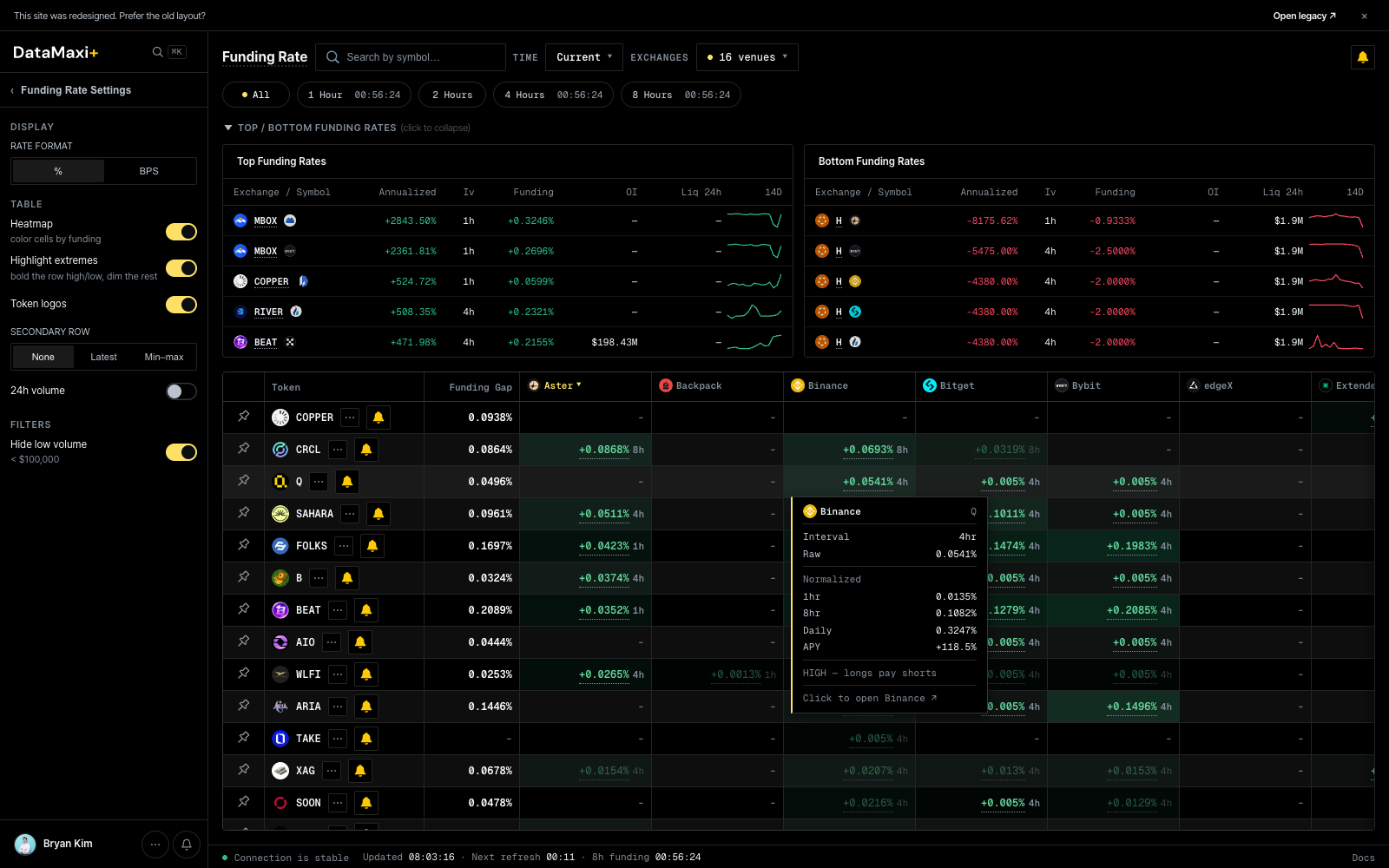
Header controls
- Time pill —
Current ▼/ historical snapshot pickers. - Venue pill —
16 venues ▼to toggle which exchanges appear as columns. Current venue set spans the major perp venues (Aster, Backpack, Binance, Bitget, Bybit, edgeX, Extended, Gate, HTX, HashKey Global, Hyperliquid, KBit, Lighter, and others).
Funding Rate Settings (left rail)
- Display unit —
BPS(basis points) vs%. - Highlight outliers — toggle that emphasizes cells that diverge from the row median.
- Cell content —
None / Latest / Min–maxswitches what's drawn in each grid cell. - Hide low volume — drops rows where every venue's volume is below a threshold.
Reference cards (top of grid)
Two strips of cards above the main grid:
- Top Funding Rates — tokens currently paying the most positive funding.
- Bottom Funding Rates — tokens currently most negative.
Each card shows the token, the venue, the rate, and a small sparkline.
Main grid
| Column | What it shows |
|---|---|
| Token | base asset |
| Funding Gap | per-row max minus min — the spread you could collect with a long-low / short-high pair |
| One column per venue | latest funding rate on that venue's perp for this token |
Sort by Funding Gap to surface the biggest carry edges instantly.
Inspector
Clicking any cell in the grid (or the row's leftmost token cell) opens a slide-out inspector for the selected token, and expands the main area to show a venue-by-venue funding-rate history chart.
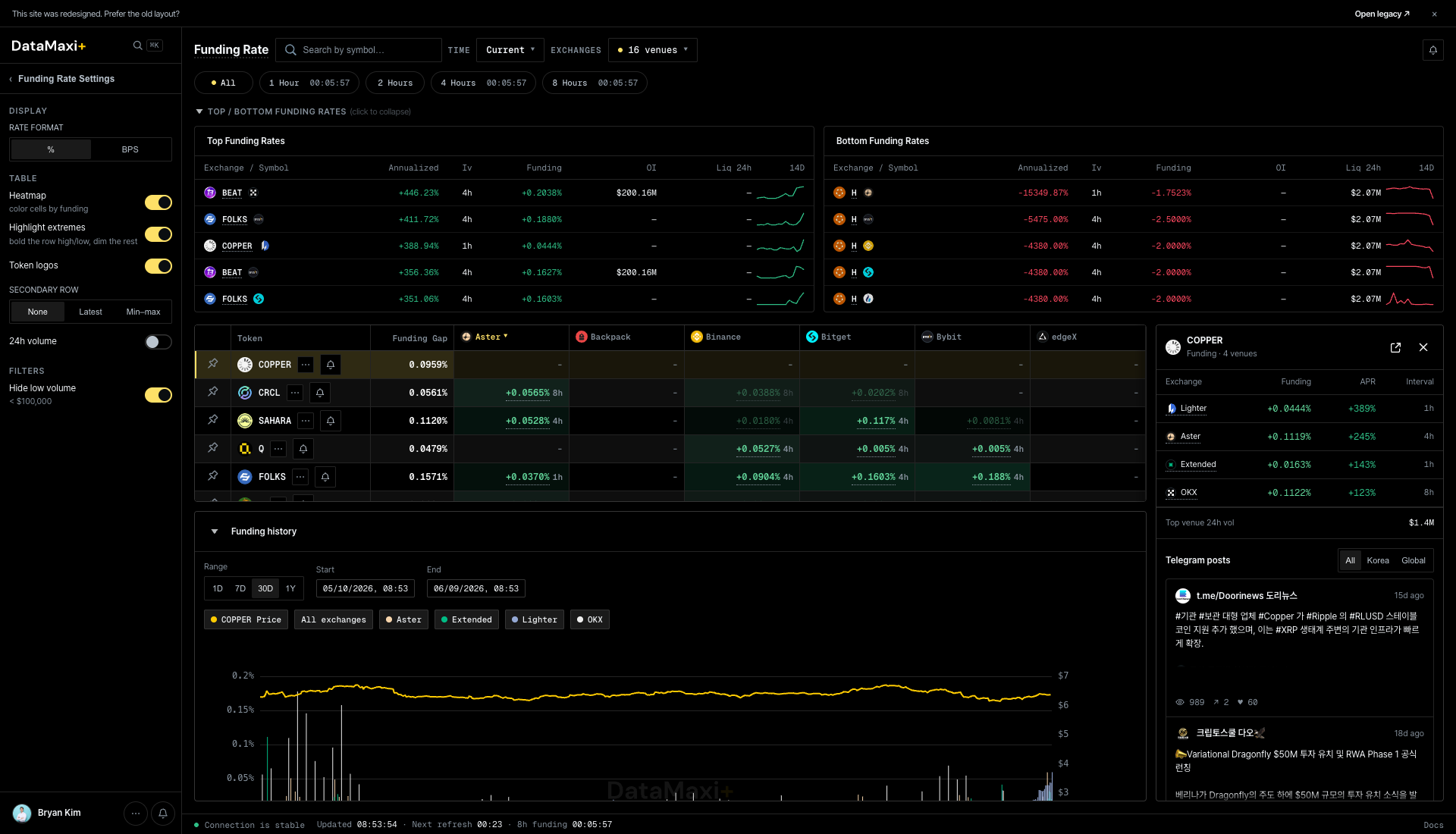
The panel itself, zoomed in:
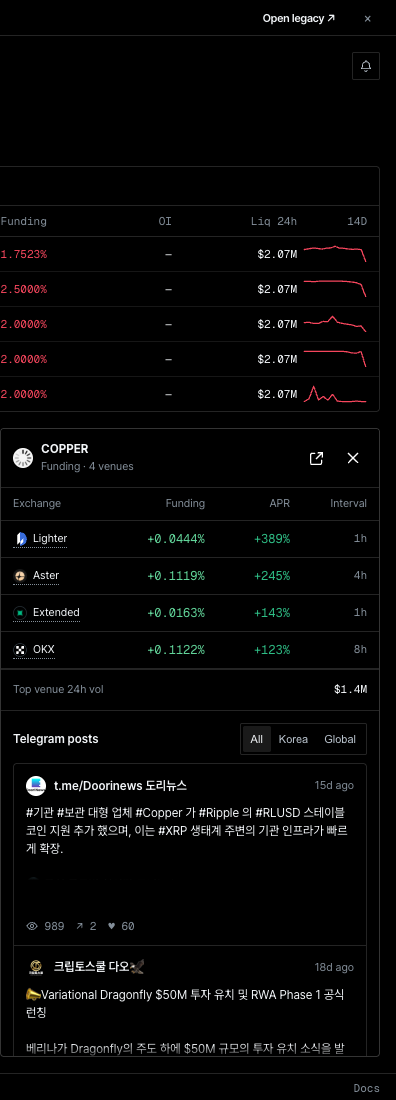
Panel header
- Token symbol with current price.
- Quick action links to the related screens.
Per-venue current rates
Cards laid out vertically — one per venue in scope — each showing the current funding rate, the settlement interval, and a small sparkline for context. Color-coded the same way as the grid (green = paying, red = collecting).
Funding history (bottom of main area)
The main area expands underneath the grid into a Funding history time-series. Use the venue chips above the chart to add or remove series (Aster, edgeX, Extended, Lighter, …), and the time-range selectors above the legend to choose 24H / 7D / 30D.
Telegram posts
Same shape as the other inspectors — All / Korea / Global filter, then a feed of token-tagged Telegram mentions.
When to use this page
- You want a bird's-eye view of where the funding regime is right now, not just the extremes.
- You're rebalancing a carry book and want to compare candidates side-by-side.
- You're scanning for divergence — a single venue paying much more than the rest can be an opportunity (or a warning).