Open Interest
Cross-venue perp open interest in two complementary layouts: an aggregate market overview and a token×venue matrix.
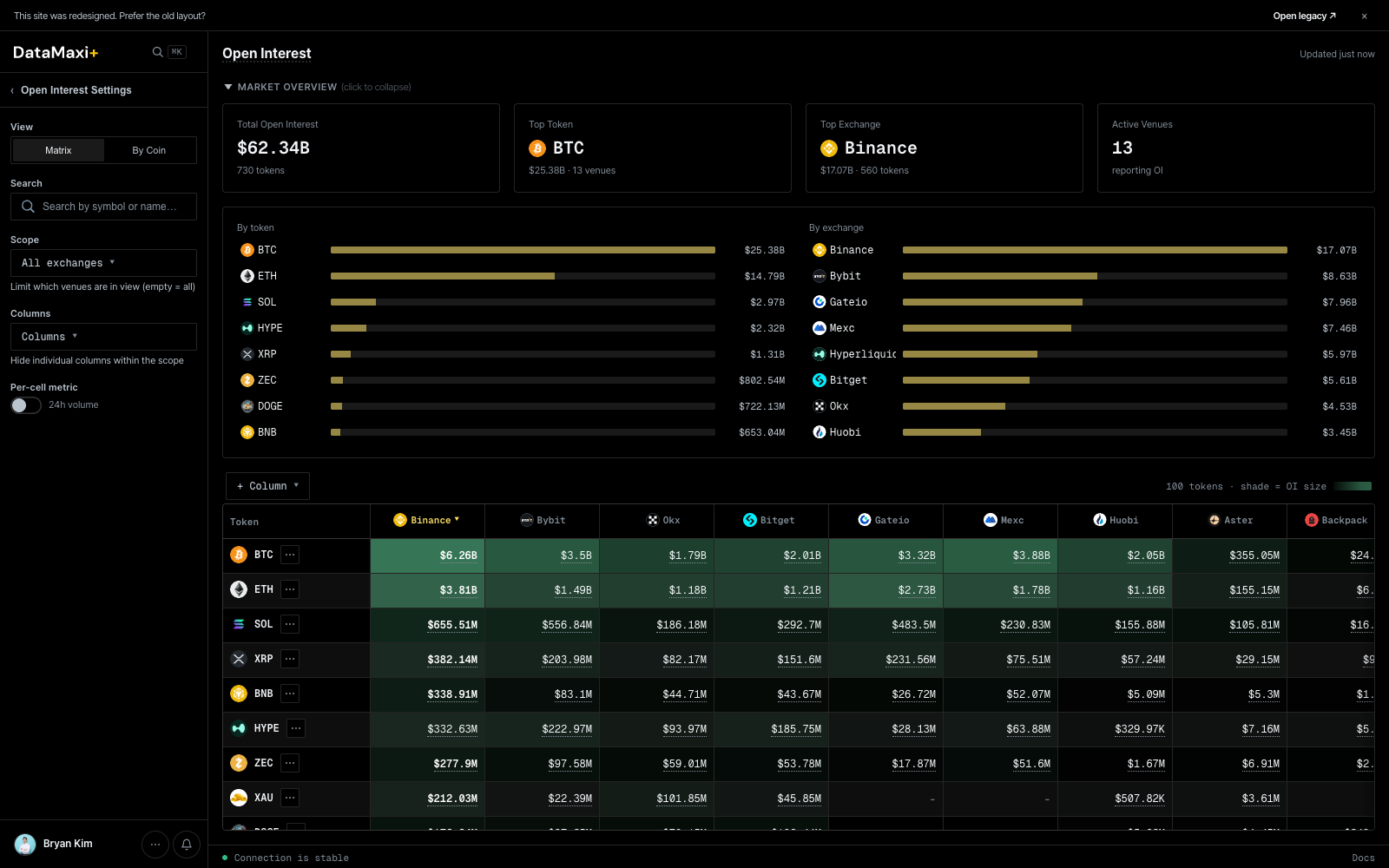
Market overview (top)
A collapsible header strip with the headline numbers:
- Total OI in dollars (e.g.
$31.47B). - Per-token cards for the biggest names (BTC, ETH, …).
- Per-venue cards for the biggest venues (Binance, …).
- Aggregated counts and a horizontal-bar view of the share each holds.
Layout toggle
Two view modes for the main grid:
- Matrix — one row per token, one column per venue, cell = OI in dollars. Best for comparing the same token across venues.
- By Coin — pivot the other way, focused on a single token.
Header controls
- All exchanges ▼ — pick which venues to include as columns.
- Columns ▼ — show / hide specific venues. Each column header has a
▼ ✕so you can prune the matrix down to just the venues you trade. - Hide low volume (in the left rail's Open Interest Settings) — drop rows that aren't worth attention.
Per-cell color encoding
Each matrix cell is colored by its share of the row total — darker green means that venue carries a larger fraction of the token's OI. A $ token concentrated on one venue stands out instantly.
Inspector
Clicking any token row opens a slide-out inspector with the per-venue OI breakdown for that token, and replaces the main area with a stacked open-interest history chart.
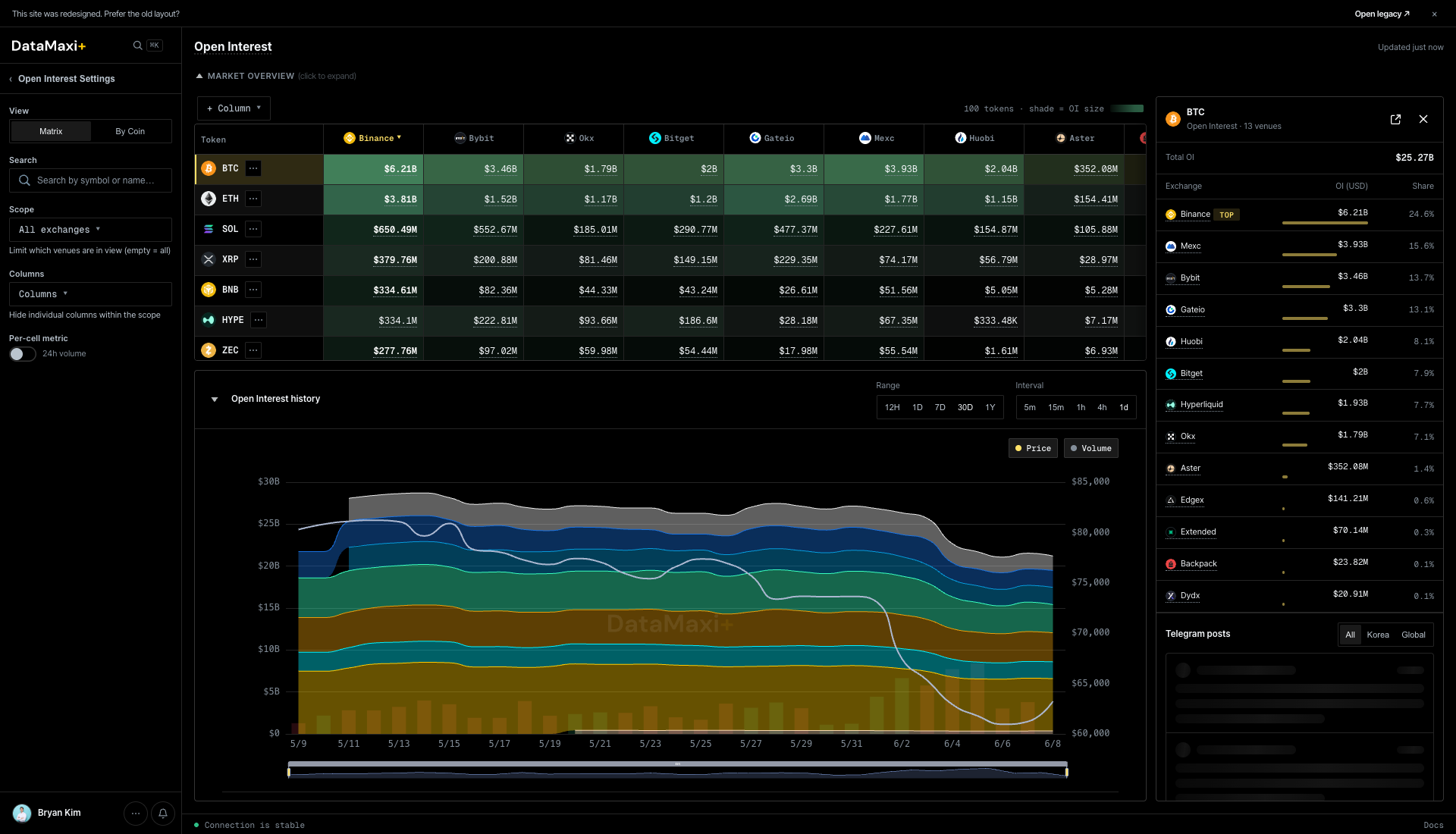
The panel itself, zoomed in:
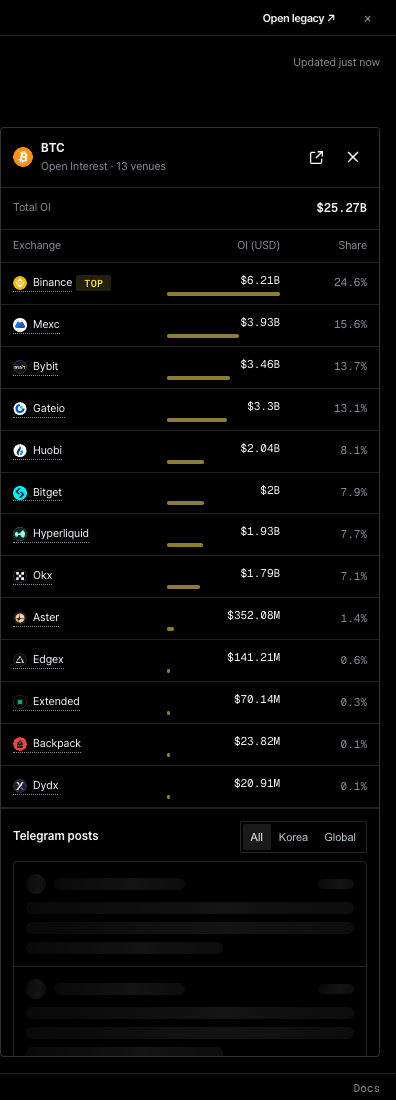
Panel header
- Token symbol + total OI (USD).
- Close and external-link controls.
Per-venue OI breakdown
Compact list of every venue holding OI in this token. Each row shows the venue glyph + name + OI in dollars + 24h delta. Sorted from highest to lowest holding.
Open interest history (main area)
A stacked-area chart colored by venue — Binance / Bybit / OKX / Bitget / Gate.io / MEXC / Hyperliquid / Aster / Backpack / Extended, etc. Drag the time-range slider beneath the chart to zoom in on a specific window. The stack lets you see at a glance which venue's OI is growing or shrinking relative to the others — a tell for capital rotation between exchanges.
Telegram posts
Bottom of the panel: same Telegram feed format as the other inspectors.
When to use this page
- Pre-trade context check: "where does the OI actually live on this token?"
- Venue-risk read: a single venue carrying the majority of OI is a concentration risk on long-tail tokens.
- Trend spotting: rotate the time pickers and watch where new OI is flowing.