Realtime Premium
A live matrix view of one token's premium across every venue, every leg — the picture you need when you're about to fire an order.
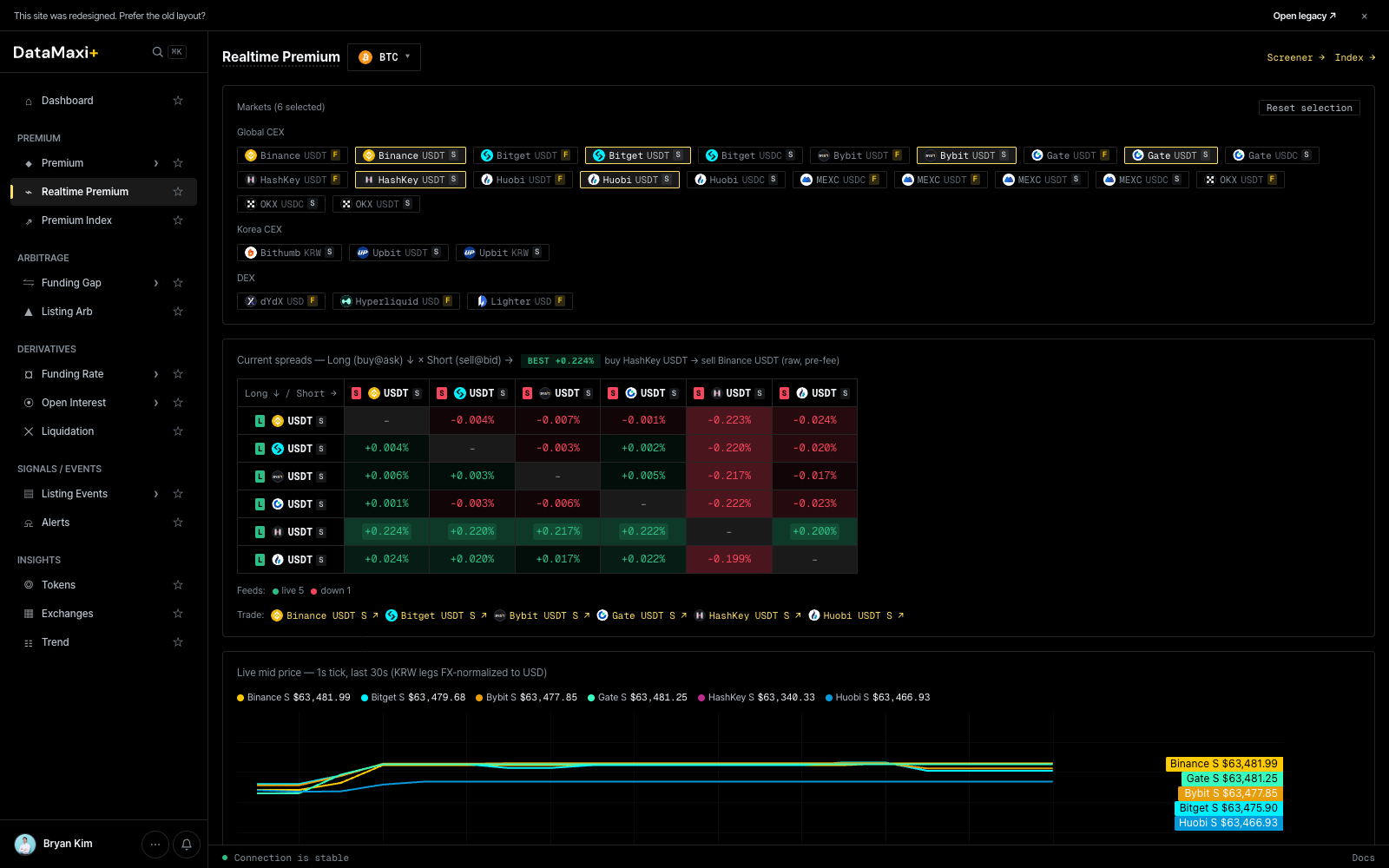
Token selector + jumps
- Token dropdown (top-left, default
BTC) — pick the base asset to inspect. - Screener → jumps back to the Premium screener.
- Index → jumps to the Premium Index history view.
Venue selection
A grid of venue chips lets you pick which markets to include in the matrix — both spot (USDT, USDC) and perp (USDTF, USDCF) variants per exchange:
BinanceUSDTF · BinanceUSDTS · BitgetUSDTF · BitgetUSDTS · BitgetUSDCS · BybitUSDTF · BybitUSDTS · GateUSDTF …
Reset selection clears them all.
The matrix
The center of the page is a Long ↓ / Short → matrix: rows are the leg you'd go long, columns are the leg you'd go short. Each cell shows the premium for that exact pair. Color encodes magnitude and sign — green when long/short pays, red when it costs.
This lets you read every executable directional pair for the selected token in one glance, instead of scrolling a long list.
Premium chart
Below the matrix, a history chart plots the selected pair's premium over time — useful for checking whether the spread is widening, mean-reverting, or has been at this level before.
Cell inspector
Unlike the row-inspectors on Premium / Funding Gap / etc., the Realtime Premium matrix uses a per-cell inspector. Clicking a cell pins it and surfaces a compact tooltip with the directional details and a tagged badge in the chart area.
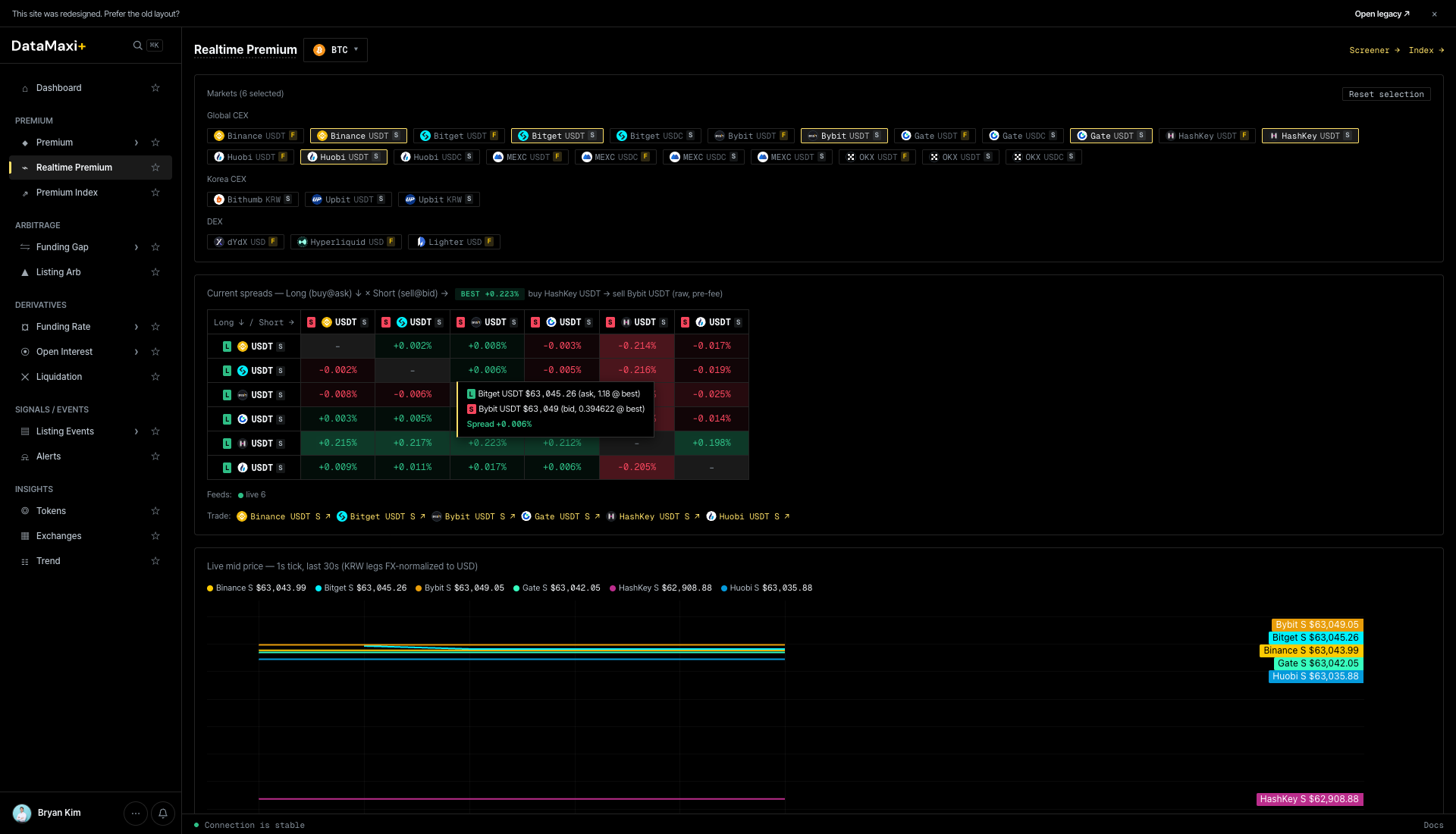
The tooltip shows:
- Direction — e.g.
Bingx USDT-M (NF) → BingX USD: 18.4 bps (-0.6 bps)reads as "go long BingX USDT-margined perp, short BingX USDC perp, premium is 18.4 bps". - As of timestamp — KST.
- Pin — keep this pair pinned in the chart legend below.
The lower history chart picks up the pinned pair(s) automatically — useful for confirming whether the spread is a one-print blip or a persistent regime.
When to use this page
- You've already picked a token (from Dashboard, Premium screener, or Alerts) and now need to choose the exact venue pair.
- You want a fast visual answer to "what's the cleanest direction to take?" without scrolling rows.
- You want to see whether the current spread is unusual versus the recent history.