Listing Arb
The screener for listing arbitrage — KRW-market listing events on Upbit and Bithumb that open at a premium to the global price, plus their historical analogues.
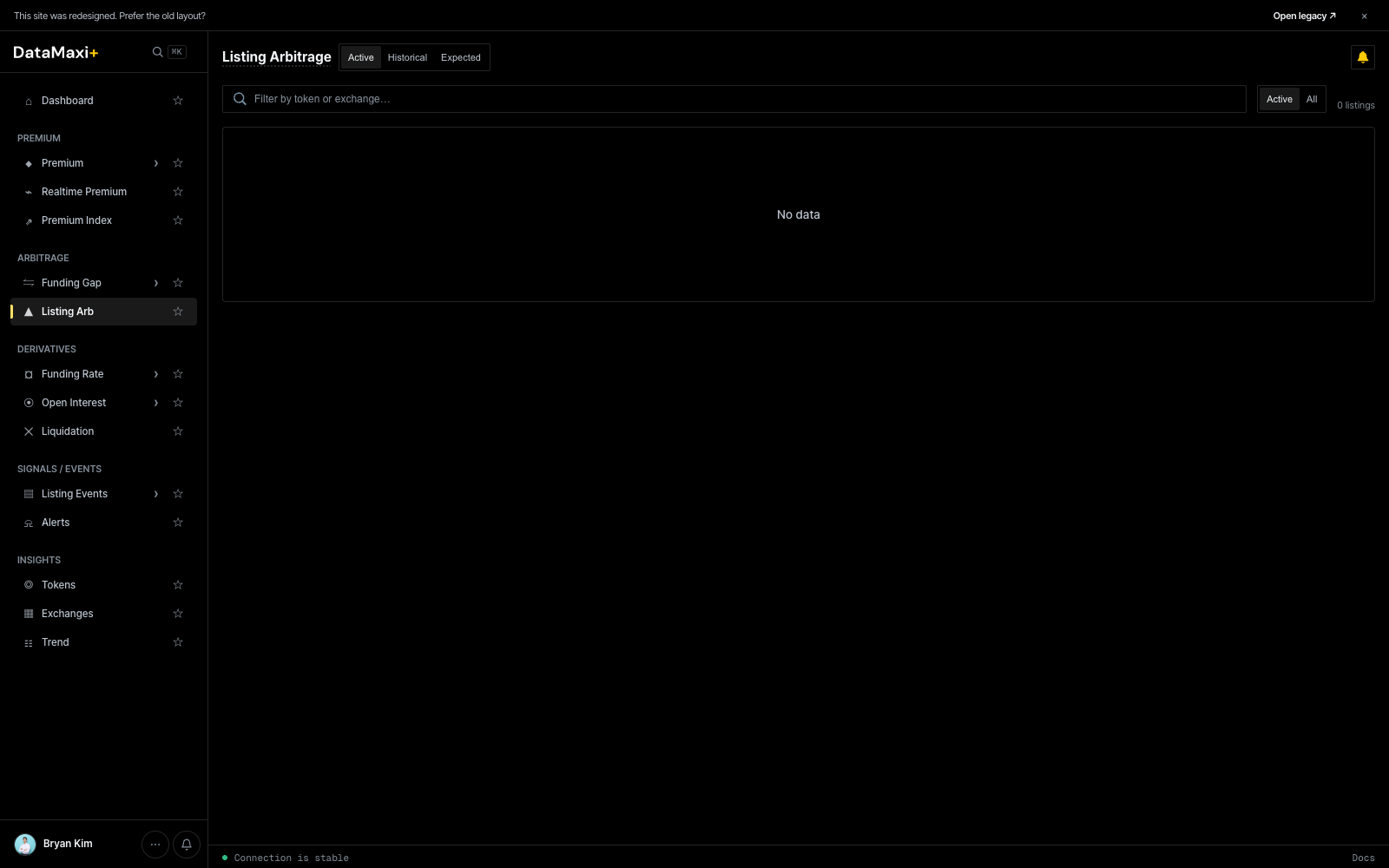
Status tabs
Three top-level tabs along the page title:
- Active — listings currently open and tradeable. Premium is live.
- Historical — past listings; useful for sizing the typical edge and the typical reversion window.
- Expected — listings that haven't gone live yet (scheduled or strongly-signalled), so you can pre-position.
Filter bar
- Search — filter by token or exchange.
- Active / All toggle on the right — narrow to active-only or include all matching the tab.
What you see in a row
Each active listing surfaces:
- Token + KRW-market venue (Upbit / Bithumb).
- Global mark (the reference price on a non-Korean venue).
- KRW-market price + premium %.
- Time since listing.
- Volume on both legs.
When the Active tab shows No data, there are no live KRW-market listings open right now — that's normal between events.
Historical tab
Historical opens the post-mortem view — every past KRW-market listing the platform has tracked, ranked by the post-listing move.
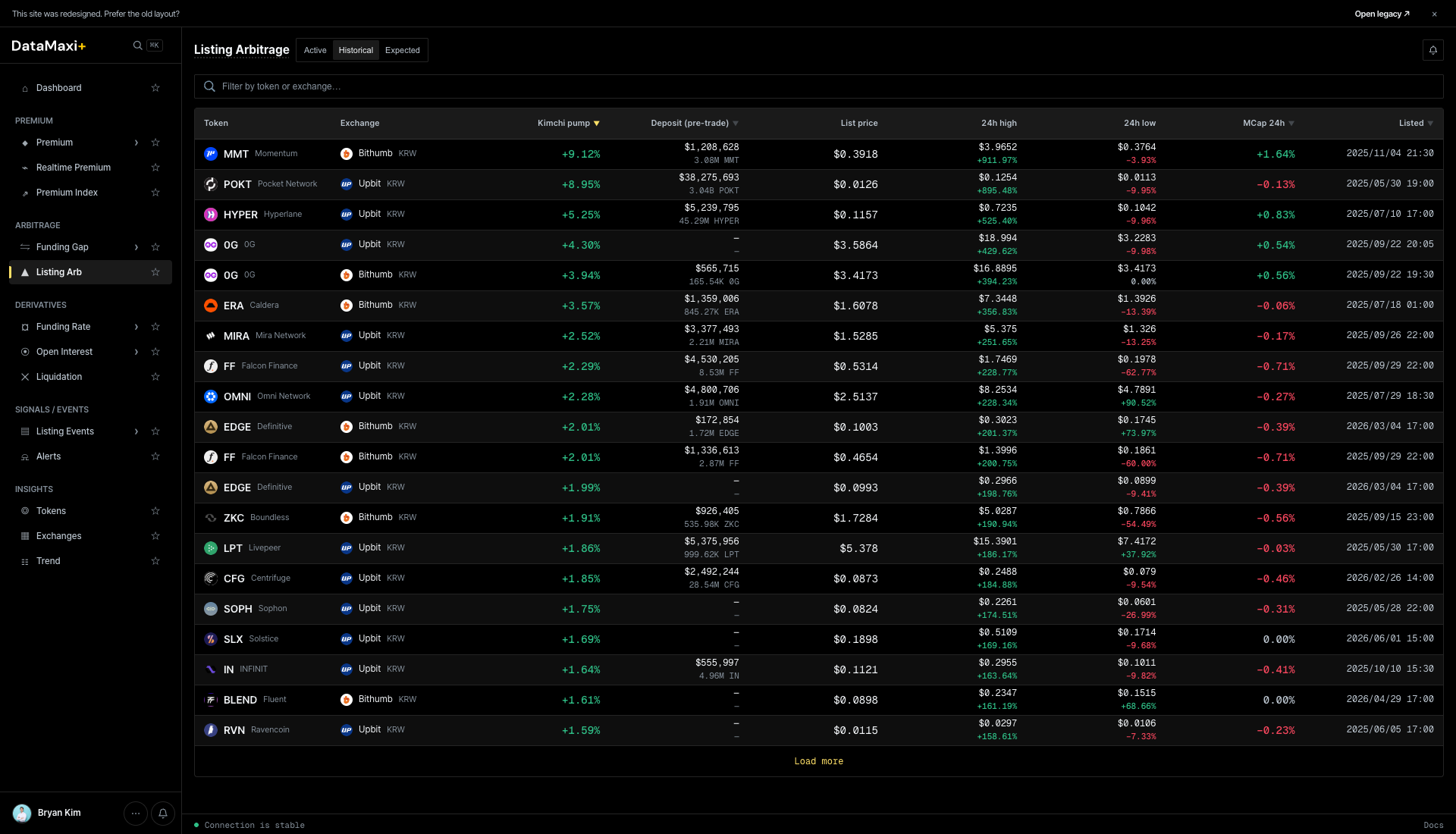
Columns:
| Column | What it shows |
|---|---|
| Token | base asset |
| Exchange | KRW-market venue (Upbit / Bithumb) |
| Wick gain ▼ | the largest premium reached during the post-listing window |
| Deposit (pre-open) | on-chain hot-wallet deposit volume detected before trading opened — the leading signal of "scale of attention" |
| List price | KRW open price |
| 24h high | KRW high in the first 24h |
| 24h low | KRW low |
| +15m / +1h / +24h ATL | price relative to listing benchmark at +15min, +1h, +24h all-time-low |
| Listed | date / time |
Use it to size what's normal — typical wick-gain range, how much deposit-volume precedes the bigger moves, how fast the price retraces.
Historical detail page
Clicking any historical row navigates to /listing-arbitrage/<venue>-<symbol> — a per-event post-mortem.
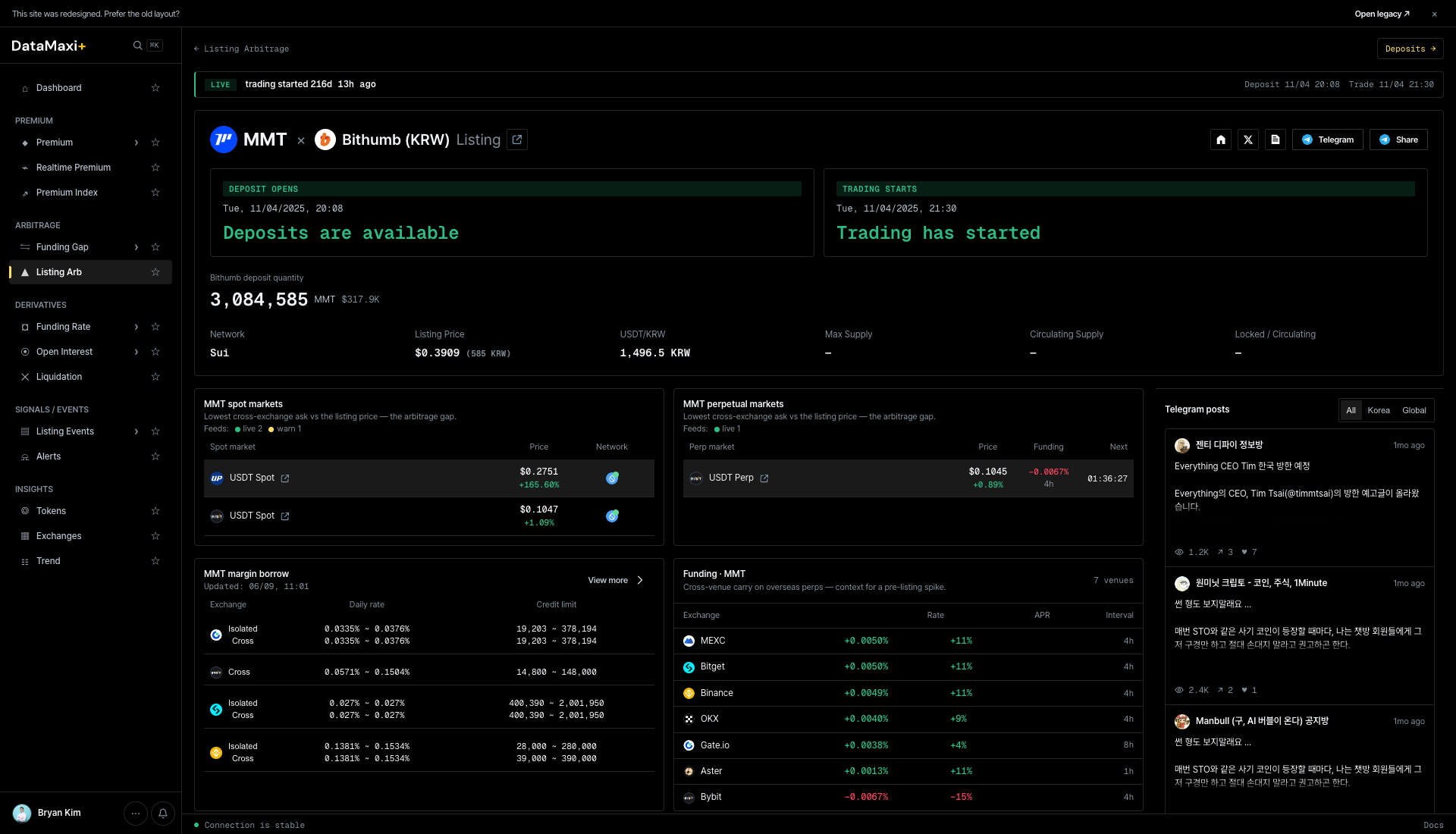
The detail page has:
- Header — token + KRW-market chip +
Listingchip + time-since. - Status cards —
DEPOSIT STATUS · Deposits are availableandTRADING STATUS · Trading has started. The chips tell you whether withdrawals from the KRW venue and trading are currently open. - Headline numbers — KRW open / Listing Price (perp anchor) / USD Price / Circulating supply / Listed at.
- MMT spot markets + MMT perpetual markets — venue-by-venue list of where the token now trades + price + volume.
- MMT margin lanes — which venues support margin trading for the token.
- Funding (4h) — cross-venue funding-rate strip for the token.
- Telegram posts — recent Telegram mentions, with All / Korea / Global filter.
Expected tab
Expected shows listings that haven't gone live yet — scheduled, hinted, or signal-detected — so you can stage keys, balances, and bots before the announcement lands.
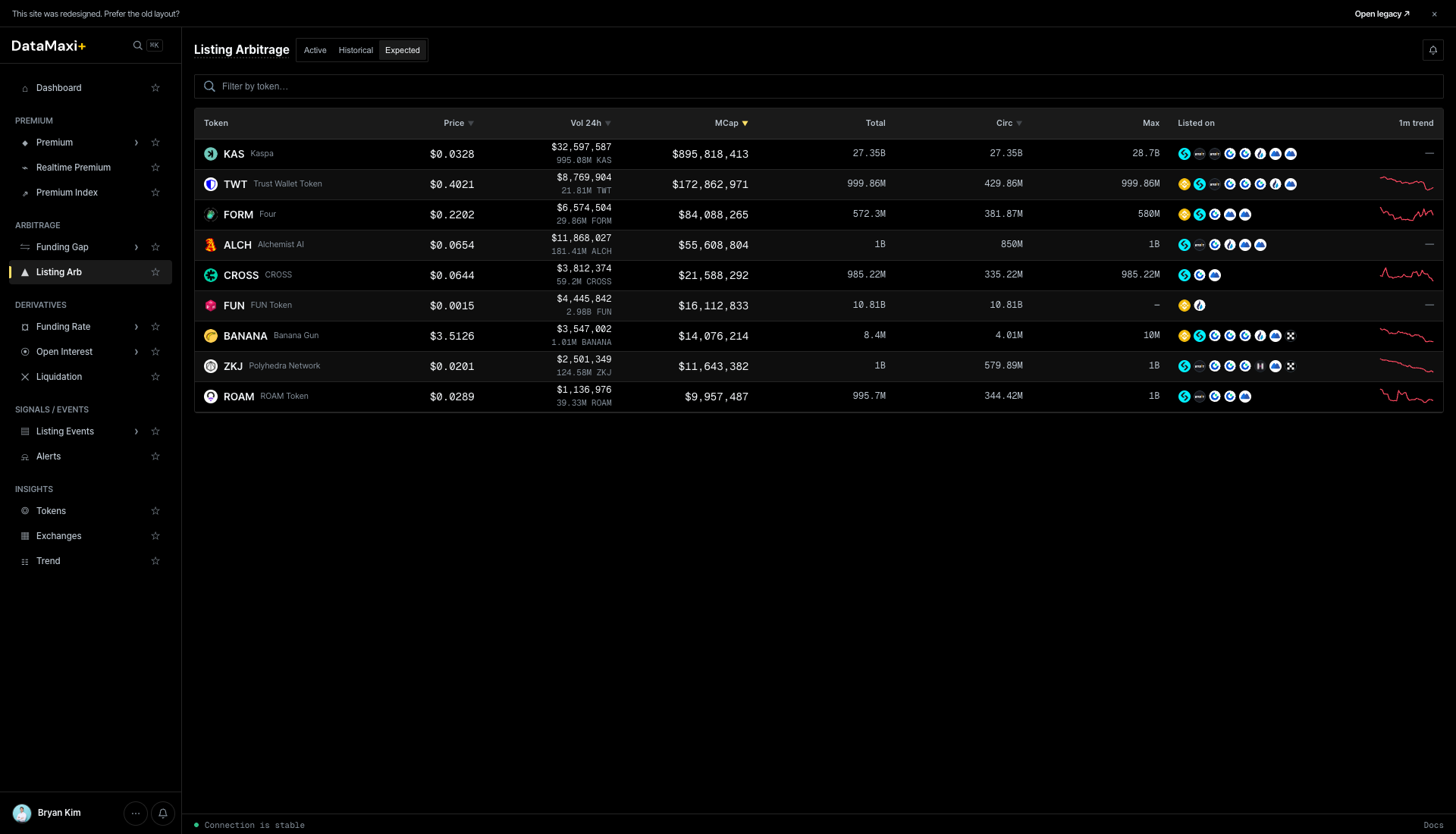
Columns: Token · Price · Vol 24h · MCap · Total · Circ · Max · Listed on · 1m trend.
Listed on is the chip strip of venues that already list the asset — useful for pre-trade liquidity sizing on the global leg. 1m trend is a sparkline.
When to use this page
- You're running the listing-arb playbook and want to see live KRW-market premium right when it opens.
- You're studying past events — what's the typical premium curve, how long does it stay open, what's the dump risk.
- You want a heads-up on Expected events so you can have keys, balances, and bots staged before the announcement lands.
See Strategies → Listing Arbitrage for the full playbook including risk caveats (KRW deposit windows, Upbit's 유의종목 caution flags, etc.).